Breakdown 2 of 3
Performance and LODs
I kept the scene performant in real time with material and mesh LODs that move with the camera.
Material and mesh LODs
Because each wave’s parameters come from its index divided by a fixed total, the loop can stop early and the waves that remain stay exactly where they were. That made material LODs possible: cheaper water materials further from the camera that run fewer waves, with no visible seam where they swap. On top of that there are mesh LODs, a dense grid under the camera stepping down to much coarser tiles further out, and a far mesh at the very edge that carries the ocean to the horizon.
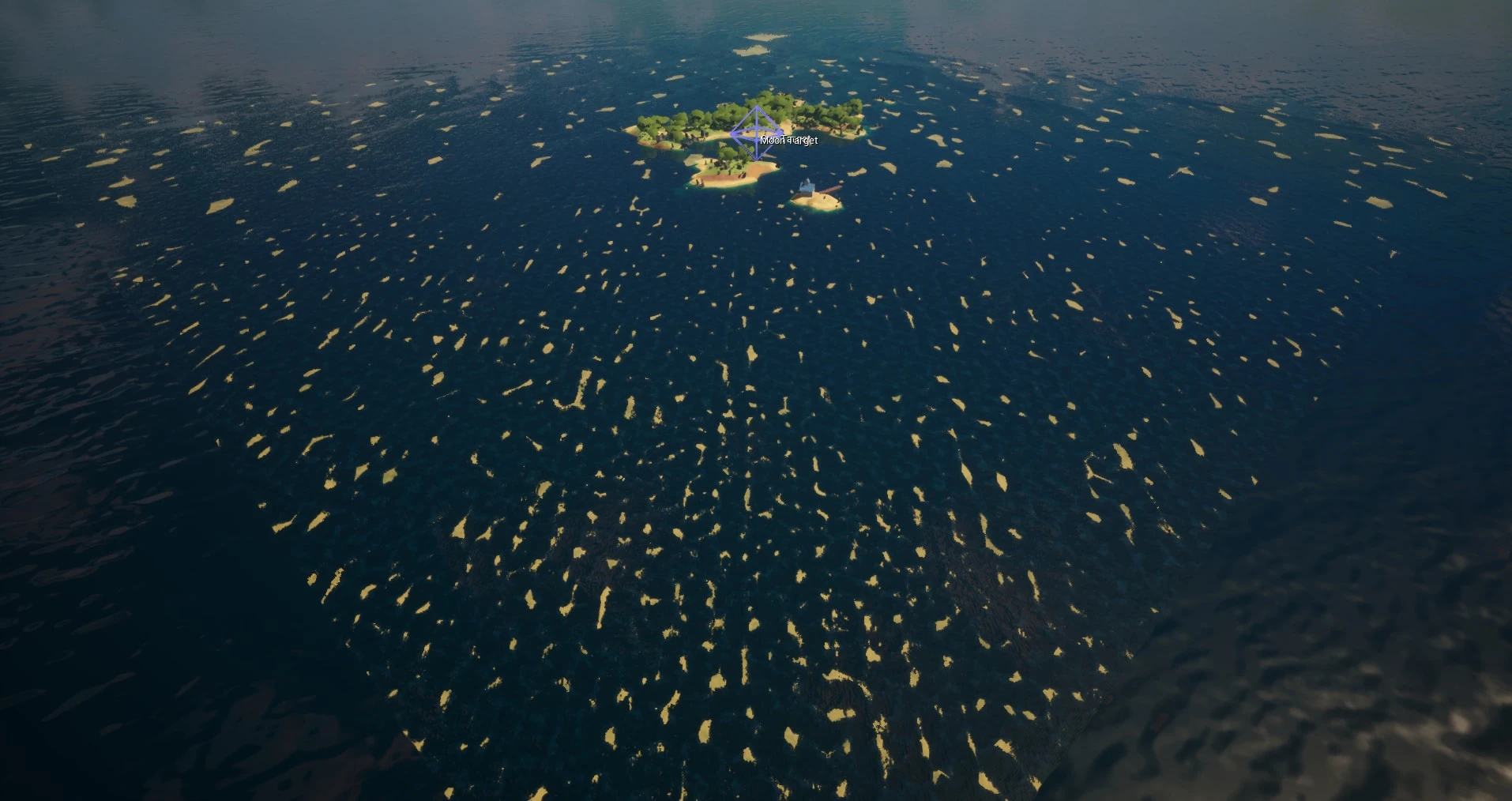
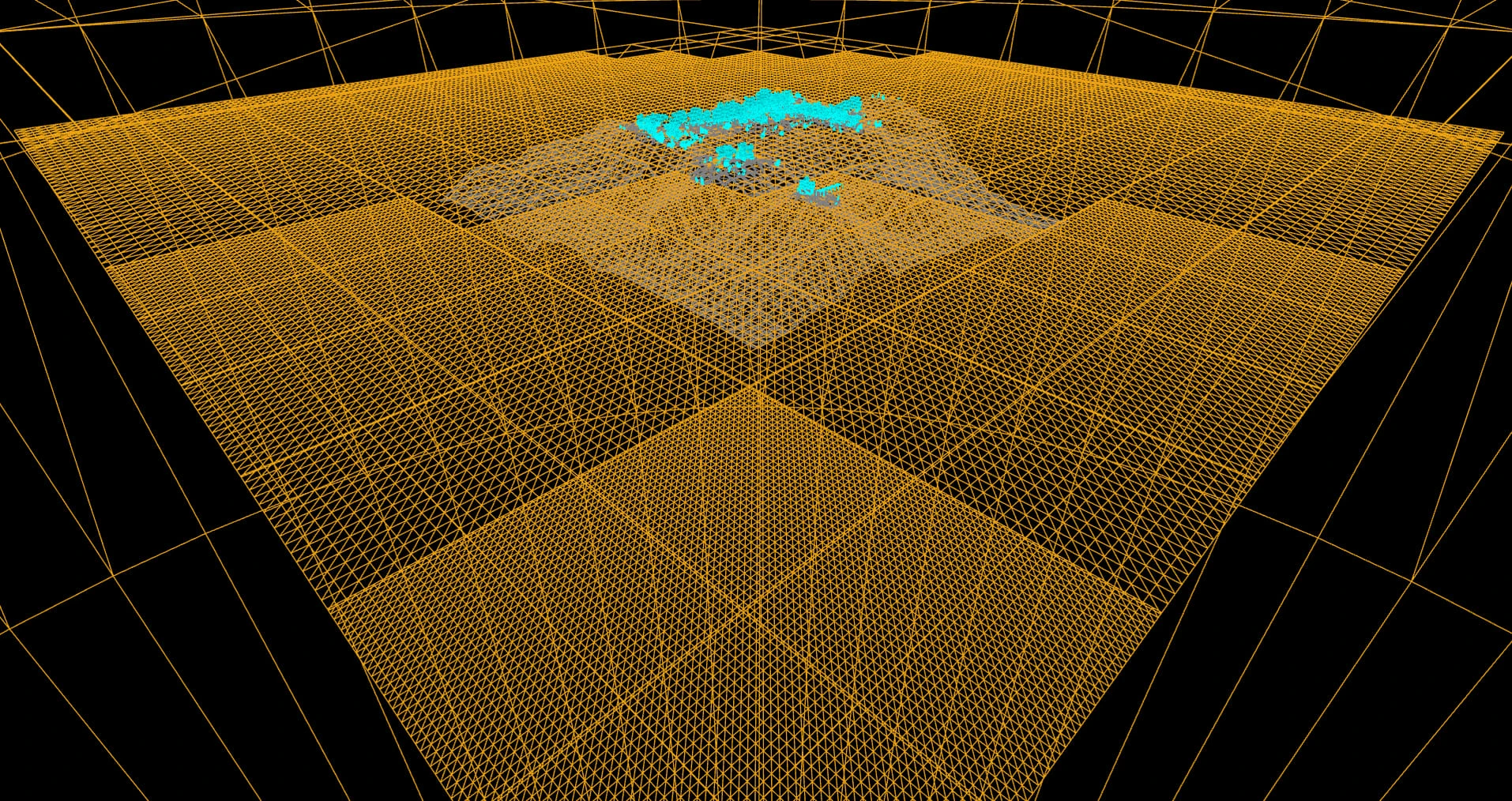 LitWireframe
However, the LODs didn’t start out like that. The first version had one level of detail per ring of tiles and was fixed in place around the island, so the detail only held up near it. Now it follows the player, and the dense tiles are always wherever the camera is.
One blueprint
All of it lives in one blueprint. Drop it in a level and you get the near and far meshes, their LODs, and the ocean material with every parameter exposed through a material instance. I grouped the parameters by feature and gave them easy-to-understand names, so an artist can get something sensible without knowing what a Gerstner wave is.
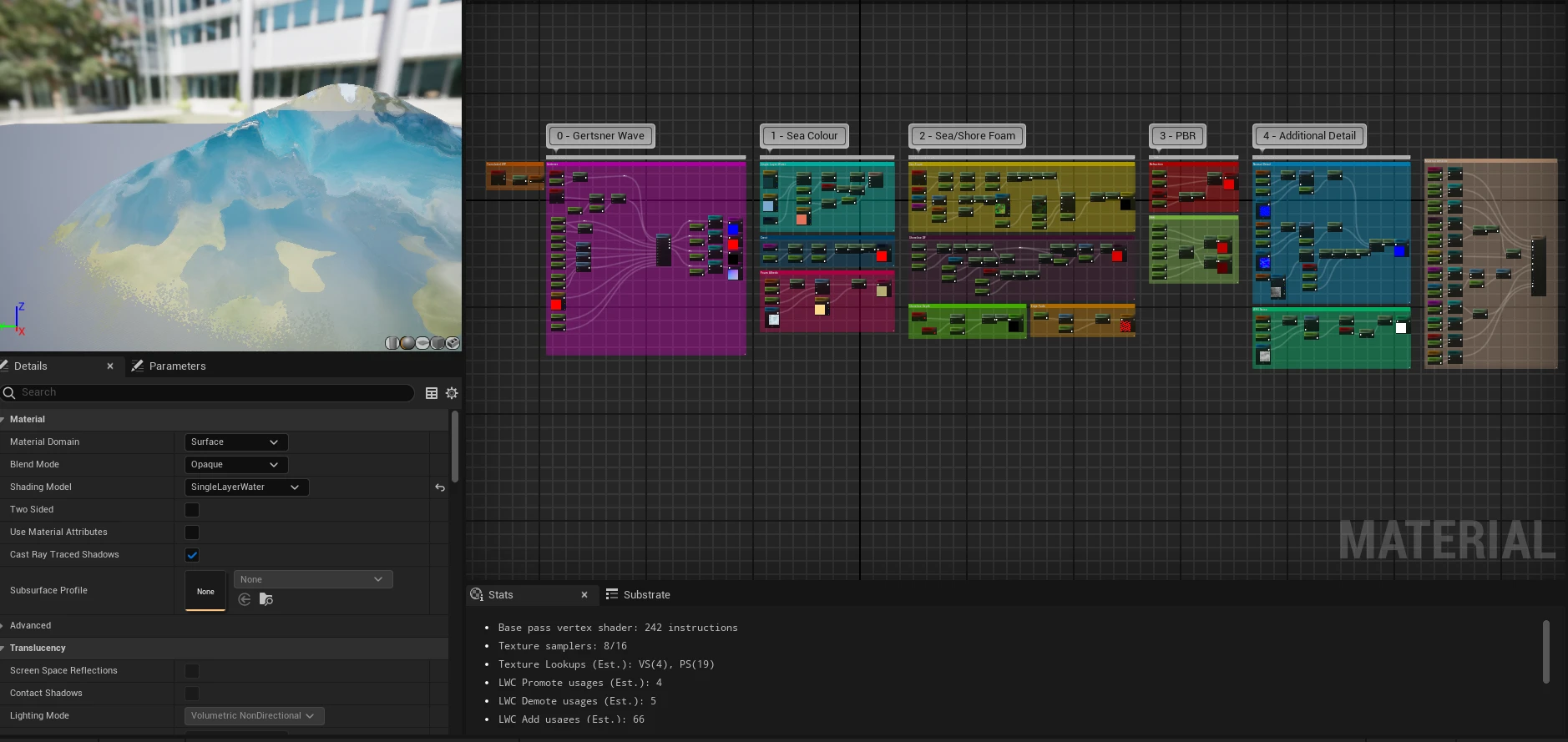
The Ocean material’s parameters are detailed below:
The Ocean material’s parameters
- float
- bool
- vector
- texture
Gerstner wave
- Waves
- Shape
- Direction
- Normal
Sea colour
- Single Layer Water
- Crest
- Foam albedo
Sea and shore foam
- Sea foam
- Shoreline distance field
- Shoreline depth
- Edge fade
PBR
- Refraction
- Fresnel
- Surface
Additional detail
- Near normal
- Far normal
- WPO noise
GPU cost
The GPU total was ~9.82ms for the full frame. The ocean’s share of those passes is roughly 2.8ms, so under a third of the frame was spent on the water, even with it taking up a large amount of the screen.
Problems and fixes
- Textures scrolling with the camera - The panning textures started in world space, and they slid along as the ocean followed the player. Switching them to the tiles’ UVs, with the ocean snapping in steps the size of a tile, fixed it.
- Foam scaling on the far tiles - This came from that fix. The larger tiles stretch the same UVs over more water, so the foam scales up and scrolls too fast there. I didn’t find a fix for both before the deadline.
- TSR smearing the waves - The waves move through World Position Offset, which doesn’t
output velocity by default, so TSR had no motion vectors to line up the water’s
history. Its flickering heuristic then read the changing highlights as flicker and held
onto old frames, tearing the waves. Turning the heuristic off with
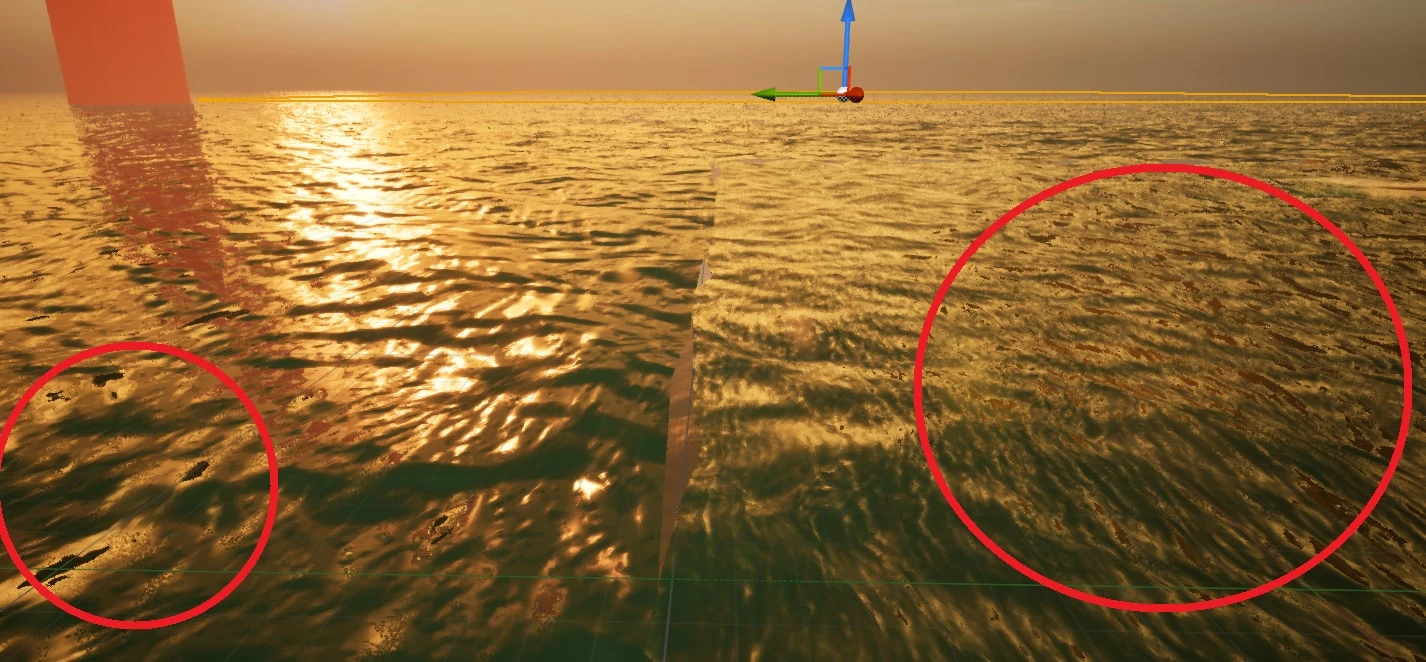
r.TSR.ShadingRejection.Flickering 0helped, and enabling “Output velocities due to vertex deformation” in the project settings tackled the cause. - Black patches in the reflections - Adding the wave, near and far normals together made the combined normal too intense, so using proper blending and a final normalisation stopped the intensity from causing this halo effect.
Reflections
Knowing what I know now, the tile grid was the wrong thing to build on, and a dynamic mesh would probably have done the job better. Pairing it with separate material LODs made the system harder to work with, and the snapping that stopped the scrolling left the one problem I didn’t solve: each step makes the surface visibly jump while the waves recalculate. Lerping after the camera made the jump constant, and a timer with longer gaps between steps made it much less noticeable, but a good eye can still spot it, which isn’t ideal.
Next time I’d follow Ghislain Girardot’s approach (Girardot, 2022), which snaps both the vertices and the wave sampling position to a grid set by each LOD. The surface no longer shifts as the mesh moves, and an overlapping band of polygons between LODs stops gaps opening where the grid sizes change.
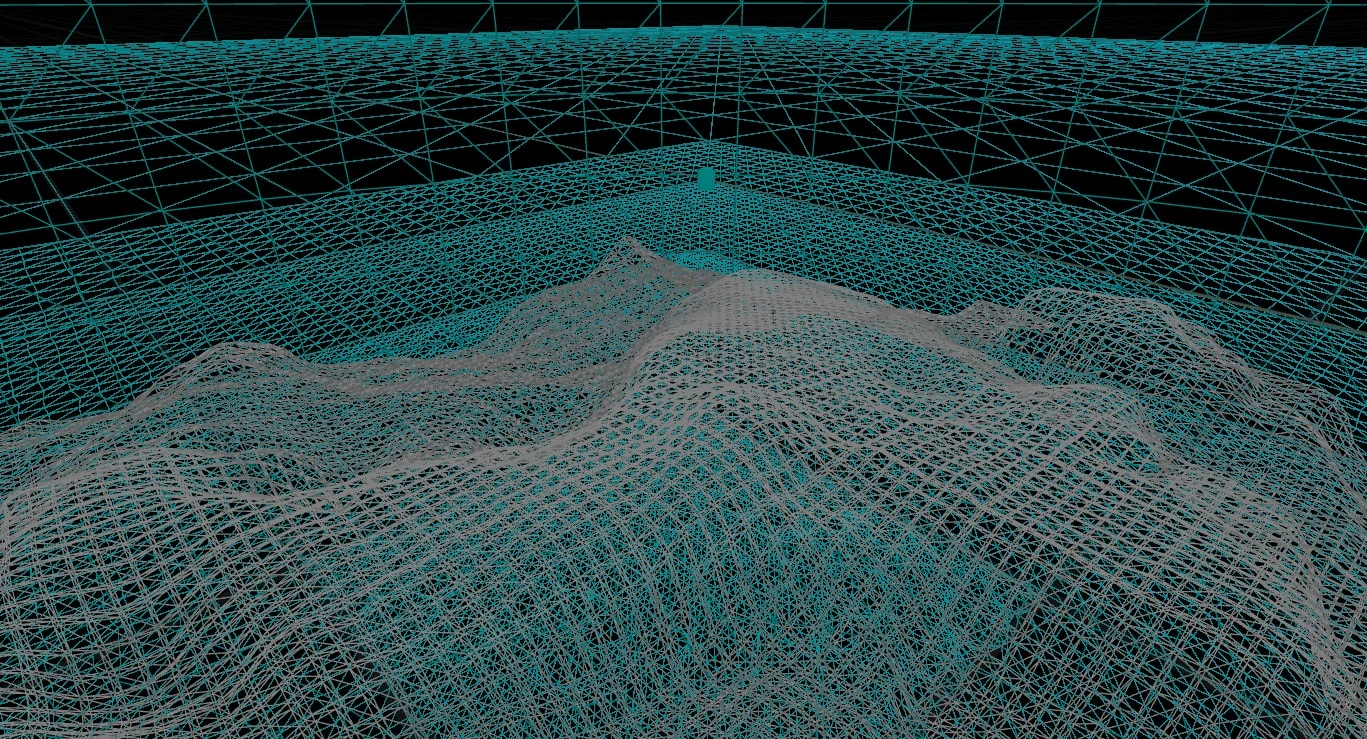
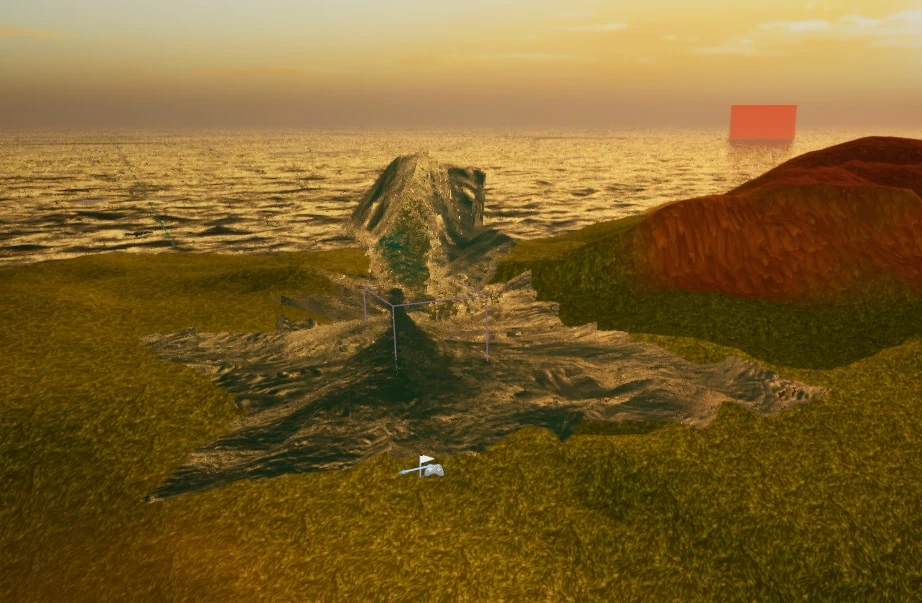
A lump at the world origin is also hidden rather than fixed. The waves are evaluated in world position, so their offsets pile up there into a crumpled spike, which in the final scene sits under the island’s terrain.
Sources
Girardot, G. (2022). A deep dive into my process of creating this animated stylized ocean in UE. [online] YouTube. Available at: https://www.youtube.com/watch?v=UWGwq-_w08c [Accessed 1 Oct. 2026].
Inspiration for snapping to a grid to follow the player and keep the ocean stable.