Breakdown 1 of 4
Python and LDraw data
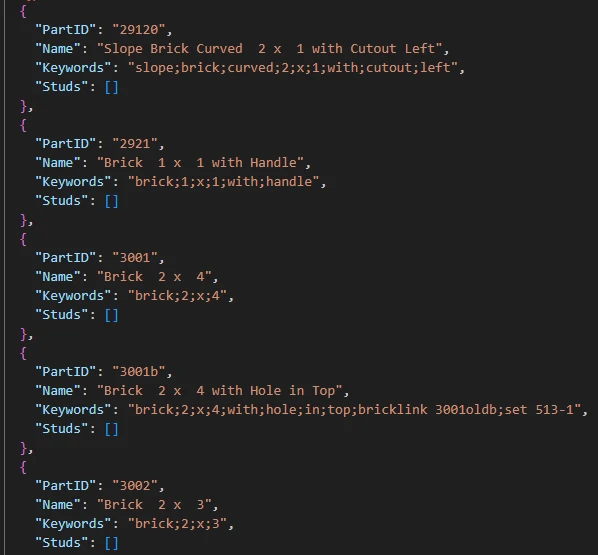
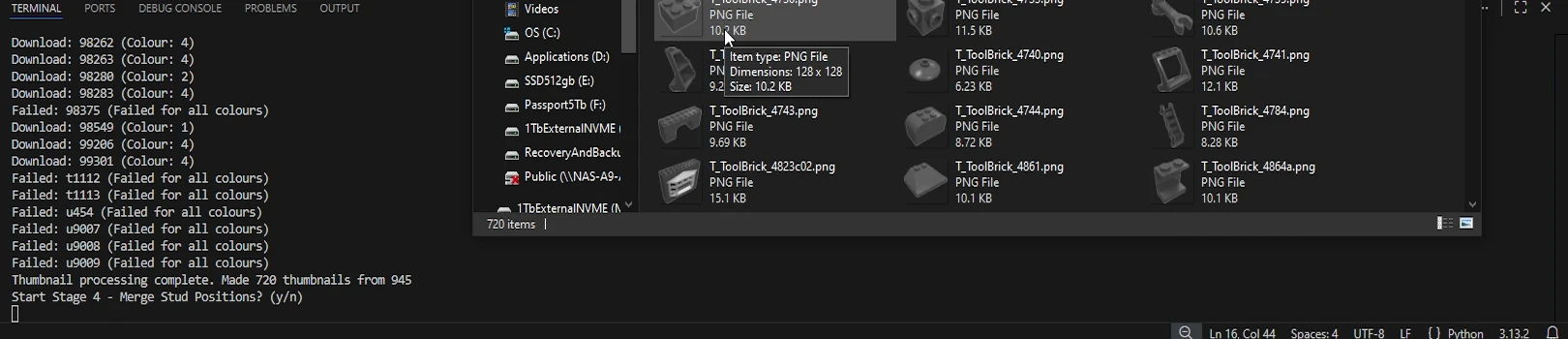
I wrote one script that sifts LDraw's 23,000+ parts down to the 945 worth building with, and makes a browser thumbnail for 720 of them.
Overview
Every part comes from LDraw, an open, community-driven recreation of almost every LEGO part, founded by the late James Jessiman (LDraw.org, 2002) and going for over 30 years.
LDraw has its own format, though. A part is a .dat text file of raw transforms and
references to a shared library of primitives, which nothing in a games pipeline can
read directly. So before Houdini or Unreal could do anything, the first job was pulling
out the metadata the tool needs for each part and writing it somewhere both could read.
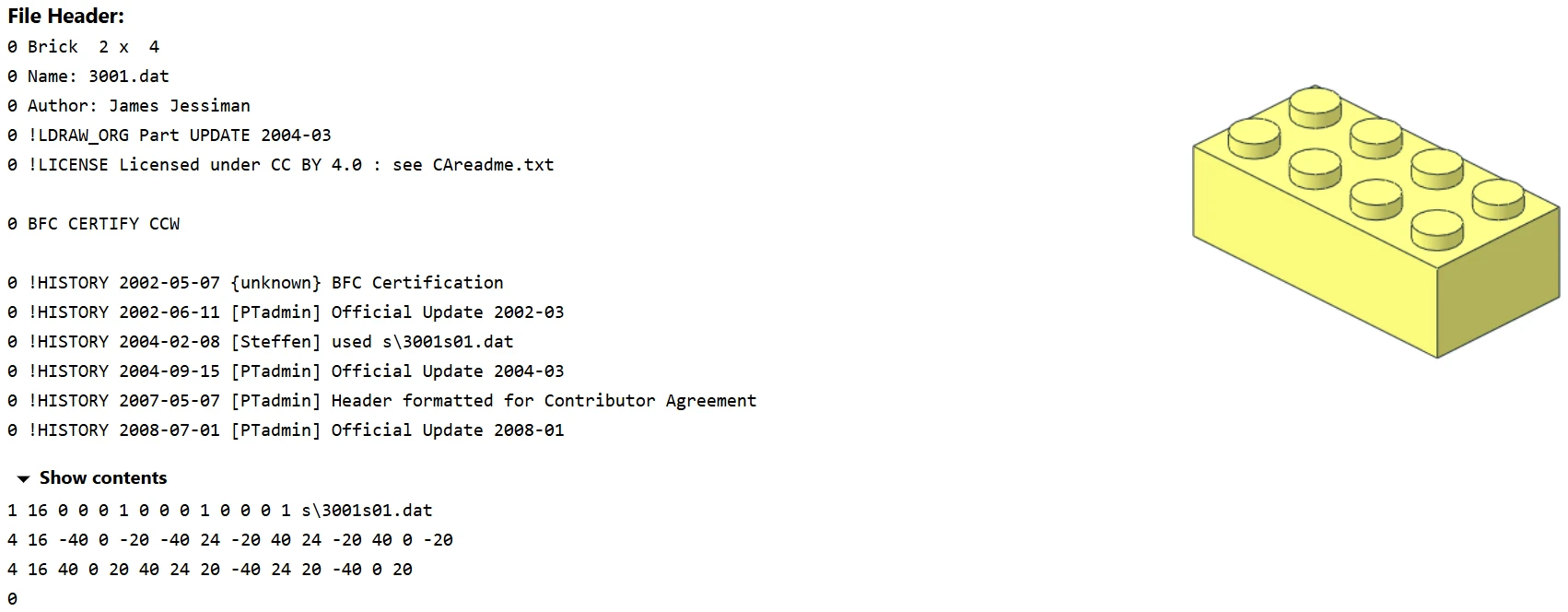
That’s part 3001 (Jessiman, 2004), the 2 x 4 brick, which ended up being my test part at every stage. The output is one JSON part list that everything after it shares: Houdini generates a mesh for every entry and adds the stud positions, and Unreal imports it as the data table behind the part browser.
One script
This started out as four separate scripts, one of which only existed to turn the JSON into a CSV for Unreal. For the release I folded them into one library with one entry point, which asks y/n before each stage so any of them can be rerun on its own. The data table imports the JSON directly now, so it’s one format from start to finish.
The stages run in order, from parsing the parts, through the Houdini cook, to copying the finished list into the Unreal project.
flowchart LR
  A[LDraw library<br/>.dat part files] --> B[Parse and filter<br/>945 parts kept]
  B --> C[Part list JSON]
  R[Rebrickable renders] --> T[Thumbnails<br/>720 of 945]
  C --> T
  C --> H[Houdini cook<br/>meshes and studs]
  H --> U[Unreal data table<br/>behind the browser]
  T --> U
Filtering the library
Most of the LDraw parts folder is no use for building a set. Duplo, minifig pieces, printed patterns and a long tail of obsolete ranges all have to go. The filter works in three passes:
- Dead parts - anything whose name contains
~,=or_is thrown out first. - The allowlist - part IDs on the allowlist skip the filter entirely, whatever their names say.
- The keyword filter - a part whose name or keywords contain any word on the filter list is dropped.
def filter(entry, allowlist, filterlist):
    # Is valid
    if entry:
        name = entry.get("Name", "").lower()
        keywords = entry.get("Keywords", "").lower()
        ID = entry.get("PartID", "").lower()

        # Is dead part
        if any(sym.lower() in name for sym in ["~", "=", "_"]):
            return False

        # Is allowed bypassing filter
        for al in allowlist:
            if al == ID:
                print(f"{al} == {ID} is in allowlist and bypassed filter.")
                return True

        # Check if entry contains any filter word in filterlist
        allowed = True
        for fw in filterlist:
            if fw in name or fw in keywords:
                allowed = False
                break
        return allowed
    return False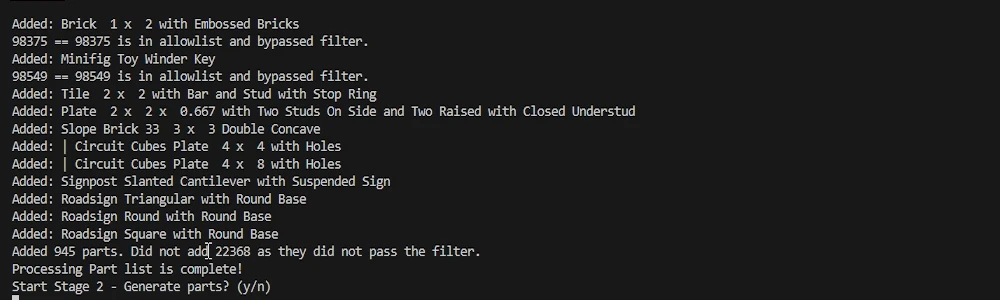
The first version was much stricter. It also threw out any part Rebrickable had no thumbnail for and blocked doors, windows and clips too, leaving less than half of what the release has. Dropping the thumbnail check and adding the allowlist let the library grow, but it’s also why some parts now have no thumbnail.
Thumbnails
The browser needed a picture of every part. Rebrickable (Rebrickable, 2011) hosts renders of LDraw parts by part ID, and the script requests a small render of each one, tries a few other colours if there isn’t one, and moves on if they all fail.
Then PIL cleans it up. The background colour is sampled from the corner pixel and masked out, the mask edge is softened and the part is greyscaled. Every thumbnail ends up the same neutral grey, so the UI can tint the tiles to whatever colour you have selected.
def process_image(image_path, tolerance = 12, smooth_radius=1):
    img = Image.open(image_path).convert("RGBA")
    w, h = img.size
    px = img.load()
    bg_colour = px[0, 0]

    # Mask anything close to background colour
    mask = Image.new("L", (w, h), 0)
    mask_px = mask.load()

    for y in range(h):
        for x in range(w):
            if is_bg(px[x, y], bg_colour, tolerance):
                mask_px[x, y] = 255
            else:
                mask_px[x, y] = 0

    # Smooth edges
    if smooth_radius > 0:
        mask = mask.convert("L").filter(ImageFilter.GaussianBlur(radius=smooth_radius))

    # Apply mask to image and save
    grey = ImageOps.grayscale(img)
    result = Image.merge("RGBA", (grey, grey, grey, ImageOps.invert(mask)))
    result.save(image_path, "PNG")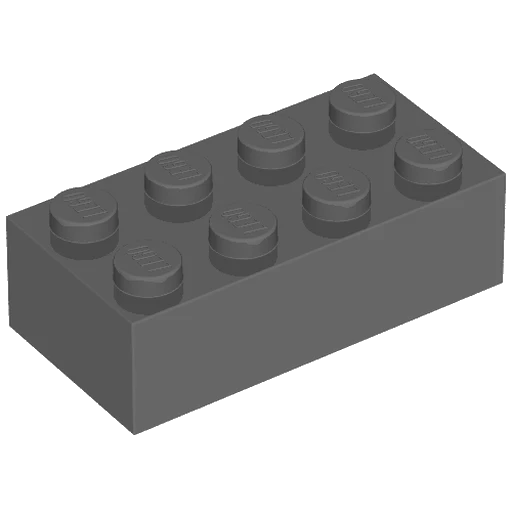
Coverage
This is how much of the released part list each stage covers. Every part has a mesh, and the gaps are in the thumbnails and the stud data, which the Houdini page goes into.
Reflections
- A blunt filter - Because it matches substrings, a short word can catch more than
it should.
baris there for bar pieces, but it also takes out Barrel 2 x 2 x 1.667, a useful part for dressing a set. The allowlist is how parts like that get rescued, one ID at a time. - Missing thumbnails - A quarter of the library has no thumbnail. Those parts show a crossed out placeholder in the browser. They’re still there, but you have to know what you’re looking for.
- An outdated LDraw2Houdini - During the project, LDraw2Houdini (Müller, 2023) was updated with a more streamlined generation process. Moving to it would mean reworking my network, so the released parts still come from the older version, and the setup guide asks for LDraw2Houdini 3.0.0.
- Manual imports - The meshes and thumbnails still have to be dragged into Unreal by hand. Automatic importing is one of the things I listed as needing C++.
Sources
Jessiman, J. (2004). File Detail parts/3001.dat. [online] LDraw.org. Available at: https://library.ldraw.org/parts/3436 [Accessed 23 Nov. 2025].
The 2 x 4 brick, my test part all the way through.
LDraw.org (2002). LDraw.org Homepage. [online] Available at: https://www.ldraw.org/ [Accessed 23 Nov. 2025].
The part library the whole tool is built from.
Müller, S. (2023). ldraw2houdini: Import LDraw Files Directly into Houdini. [online] GitHub. Available at: https://github.com/stefanmuller/ldraw2houdini [Accessed 23 Nov. 2025].
Reads the same LDraw library on the Houdini side.
Rebrickable (2011). Rebrickable - Build with LEGO. [online] Available at: https://rebrickable.com/home/ [Accessed 23 Nov. 2025].
Where the part thumbnails come from.