Breakdown 3 of 5
Artist tools
I built placement tools from artist requests for Lectra City's cables, skyline and buildings. Each one updates live as it's placed.
Overview
As the team’s technical artist I made all of the technical tools and wrote their documentation, covering where each one lives, what it’s for and what every setting does. Most were built in the construction script, so artists could see what a tool was making while they placed it and changed its settings.
It was the first time I’d worked from artist requests, breaking each one down into what the artist wanted to achieve and what the tool needed to do for that. Most of our artists wanted a lot of control over placement and appearance, and that kept the tools simple.
Cables
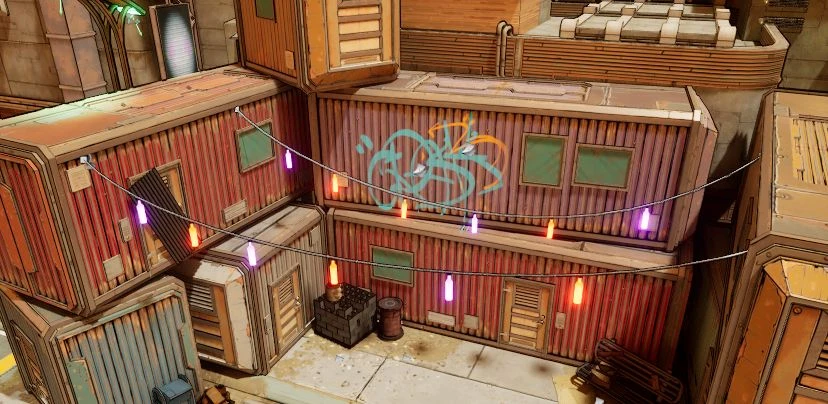
Overhead cables are all over Lectra City. The cable tool, one of the first tools I made, is a placeable actor with a spline that the artist drags around to shape the cable by eye. It works best between two points, and can hang a mesh at points along its length, like the strings of lights below.
- float
- bool
- object
- transform
BP_Cable
- Cable
- Hanging
Skyscrapers
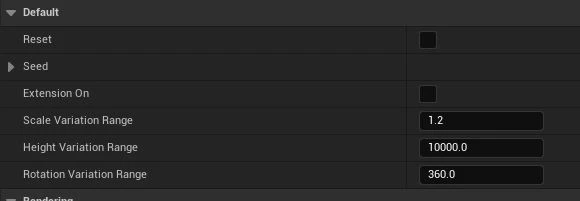
The skyline needed a lot of background towers. The skyscraper tool picks a mesh from a set, then a tint, size, height, rotation and whether the lights are on, all from its world position and a seed.
Dragging one around re-rolls it, and Reset turns the system off while you move it.
Buildings
The first building tool put a building together from modular parts. You picked whether it had a base, a bottom and a middle section, and chose each section’s type from a dropdown.
It was scrapped quickly, because the artists didn’t need it. The artist making the modular buildings preferred to place the pieces by hand, which is what the tool was built to automate.
The building tool that stayed is a placeable actor with no meshes of its own. It randomises its trim colours from a seed, with a manual override, and the Container switch lets it work on the shipping containers too.
- bool
- array
- object
- seed
BP_ModularBuilding
- System
- Colours
Prop vehicles and fog cards
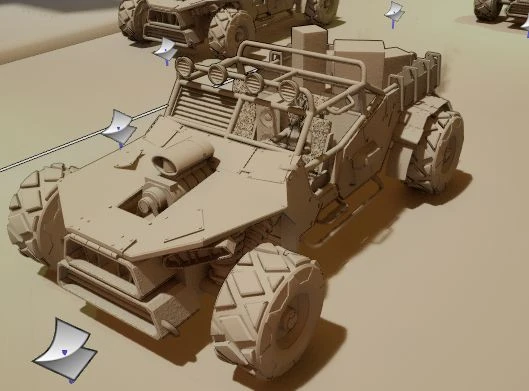
The prop vehicle is for set dressing and is separate from the drivable cars. It’s a placeable vehicle with three options to choose from and an optional back piece.
The fog card is placeable fog for adding depth down the streets. It’s expensive, so it’s best used sparingly, without layering too many.
Lightmap UV utility
Some changes had to be made to a lot of assets at once. One was turning off lightmap UV generation, since the project is lit with Lumen and never used them. I wrote an Asset Action Utility that goes through the selected static meshes, turns off Generate Lightmap UVs in each one’s build settings and saves it.
Reflections
The tools are simple, because our artists wanted most, if not all, of the control over placement and appearance. There wasn’t much need for complex tools inside Unreal, and the one that tried to take that control away got scrapped. With two other roles on top, I didn’t push myself as a technical artist as much as I’d have liked.
I never got to tools outside the editor. I wanted to write external tools in Python but didn’t have the time. The one I kept coming back to was a style guide tool that takes an artist’s final textures, recognises what each one is and gives it the right name, which would have saved the artists and me a lot of time on project organisation. I went after pipeline tools the year after, with Escape Asset Helper on Project UMBRAE.